Start with birds, eggs or a hatch. These fictional worked examples show what you can record and what you will have at the end.
These examples describe version 0.20.1 and the current web app. The in-app demo, bulk entry, recovery copies and promo web linking require version 0.20.0 or later; Today opens by default from 0.20.1 unless you saved a different preference. Check your store for availability.
A keeper wants to document an egg-colour breeding project. The example below illustrates the records; it makes no prediction about inherited traits.
Choose a goal and parents. In Breeding Projects, write the goal in plain language. Select birds by name or code; leave advanced measurements closed until useful.
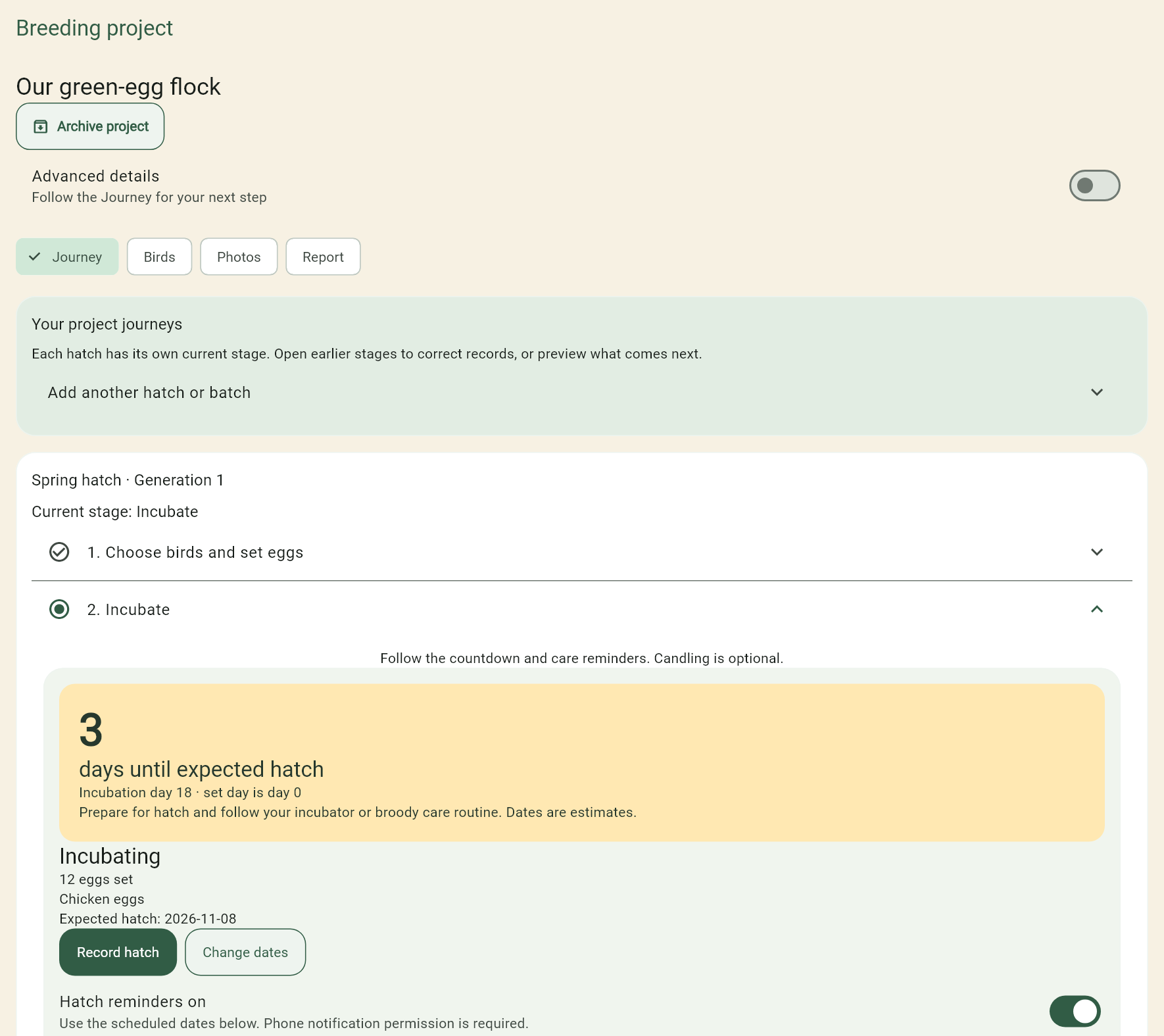
Set 12 chicken eggs. Start a linked hatch. Check the suggested hatch date and reminders. The countdown shows the next stage.
Record care when it happens. Tick an optional candling check if performed. Add a note or photo only if useful. Prepare for hatching and stop turning according to the species, dates and care routine you are using.
Record eight hatched chicks. The linked chick batch retains its connection to the hatch and project. Record the result even if it differs from the plan.
Keep evidence as chicks grow. Add stage photos and observations. Later identify individual birds and record which you selected for the next generation.
Review the project report. Bring stages, observations and photographs together. Archive a finished project to clear the active list.
Actual app screen with fictional data. Breeding Projects is an early-access Plus feature.
Requires phone version 0.20.0 or later. Your eligible preview uses the existing store code; no extra code or paid subscription is needed for its remaining web trial. Campaign eligibility and store redemption rules still apply.
Redeem the supplied code through Google Play or the App Store on your phone.
In the updated app, sign in under Settings → Plus, cloud & web access, then choose Restore purchases.
Check that the app shows a verified preview expiry. Link your phone’s flock records and wait for History & sync to finish, then sign in to the web app with the same email.
Check the expiry shown by the app. Web access ends with the original 30-day preview; signing in or reinstalling does not restart or extend it.
If web access does not appear, confirm the same email, app version and store account; run Restore purchases and check History & sync. Contact support with the version and status message if needed. Do not send your unused code, password or sign-in code.
No automatic paid subscription starts at the end. One-time purchases remain yours. Retained cloud backups can still be downloaded after access expires, subject to the normal retention limits.
Open the in-app sample flock, show one relationship, add a sample egg and tick the optional example hatch check. The demonstration is separate from their records.